Qoder 入門:エージェント型コーディングプラットフォーム

Qoder はコード補完を超えた AI 駆動の IDE です。コードベース全体を理解し、複雑なタスクを計画し、複数ファイルにわたる変更を自律的に実行できる、自律型のコーディングパートナーとして機能します。
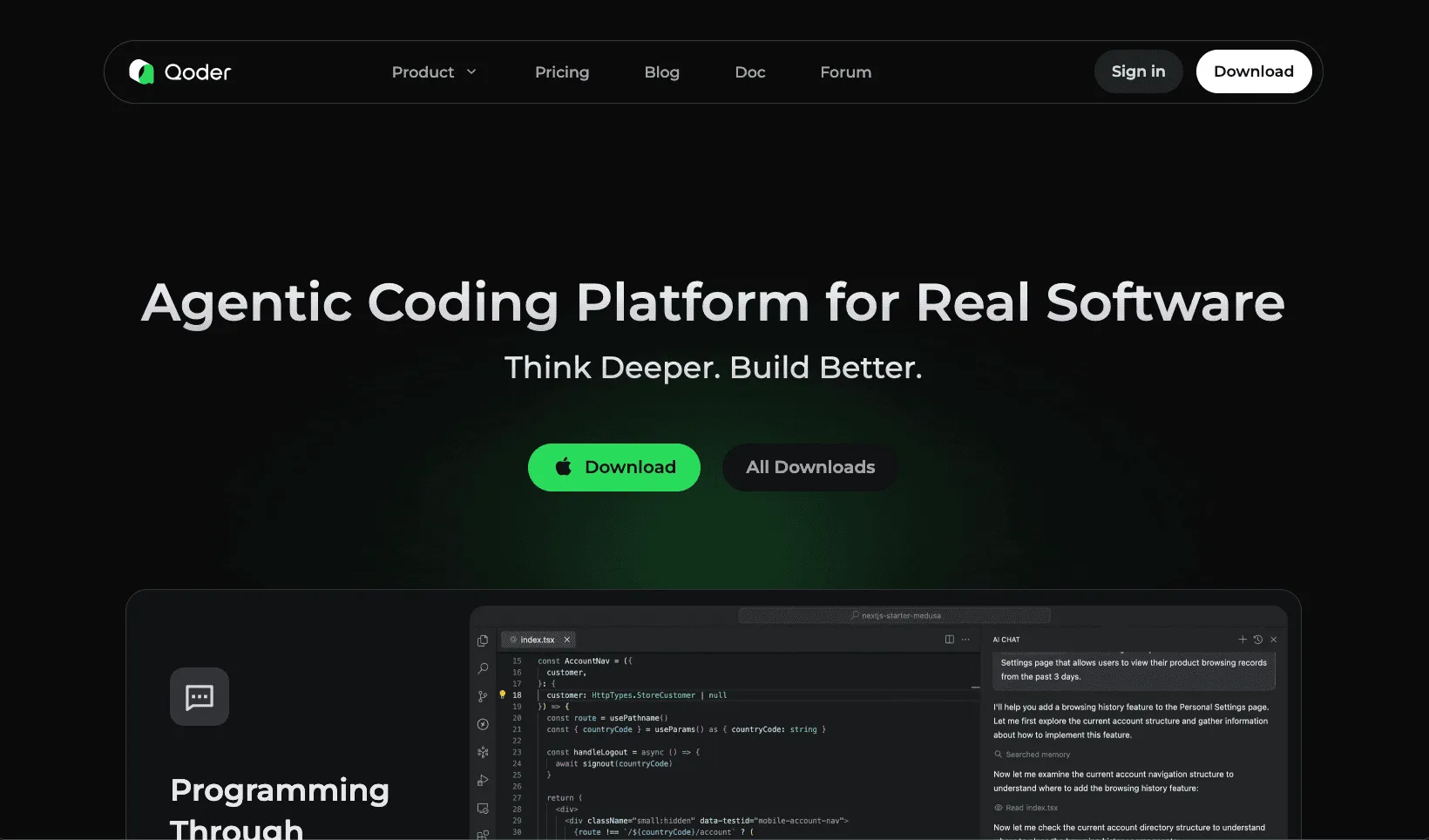
インストール
qoder.com から Windows、macOS、または Linux 用にダウンロードしてください。IDE を起動し、Google、GitHub、またはメールで認証します。Qoder はセットアップ時に VS Code や Cursor からの設定インポートに対応しています。主要なインタラクションモード
Qoder は3つの主要モードを提供しています:
- Ask モード:自然言語でコードベースに質問できます。馴染みのないコードを理解するのに最適です。
- Agent モード:リアルタイムの AI サポートによるインタラクティブなペアプログラミング。コーディング、デバッグ、リファクタリングに対応します。
- Quest モード:仕様駆動ワークフローによる、複雑で長時間実行されるタスクの自律的実行。
NES によるコード補完
Next Edit Suggestion(NES)は、コードベース全体で次の編集を予測するコンテキスト認識型補完を提供します。
Settings > NES で NES を有効にしてください(macOS ではCmd+Shift+,、Windows では Ctrl+Shift+,)。
# Type partial code; NES suggests context-aware completions
def calculate_total_price

# NES completes based on project context:
def calculate_total_price(items: list[Item], discount: float = 0.0) -> float:
    subtotal = sum(item.price * item.quantity for item in items)
    return subtotal * (1 - discount)
キーボードショートカット:
- 補完のトリガー:Option+P(macOS)/ Alt+P(Windows)
- 補完の採用:Tab
- 補完の拒否:Esc
インラインチャット
コンテキストを切り替えることなく、会話を通じてコードを直接編集できます。
- コードを選択するか、カーソルを行に配置する
Cmd+I(macOS)またはCtrl+I(Windows)を押す- 指示を入力し、
Cmd+Enterで適用する
// Select this function, invoke inline chat: "Add error handling"
function fetchUserData(userId) {
    return fetch(`/api/users/${userId}`).then(r => r.json());
}

// Result after applying changes:
async function fetchUserData(userId) {
    try {
        const response = await fetch(`/api/users/${userId}`);
        if (!response.ok) throw new Error(`HTTP error: ${response.status}`);
        return await response.json();
    } catch (error) {
        console.error('Failed to fetch user data:', error);
        throw error;
    }
}
AI チャットパネル
Cmd+L(macOS)または Ctrl+L(Windows)で開きます。
Ask モードはコードベースに関する質問を処理します:
How does the authentication flow work?
What modules depend on UserService?
Create unit tests for PaymentProcessor using pytestエージェントはファイルを読み込み、編集を行い、コマンドを実行し、差分ビューで結果を報告します。
Quest モード
Quest モードは仕様駆動開発を通じて複雑なタスクを処理します。
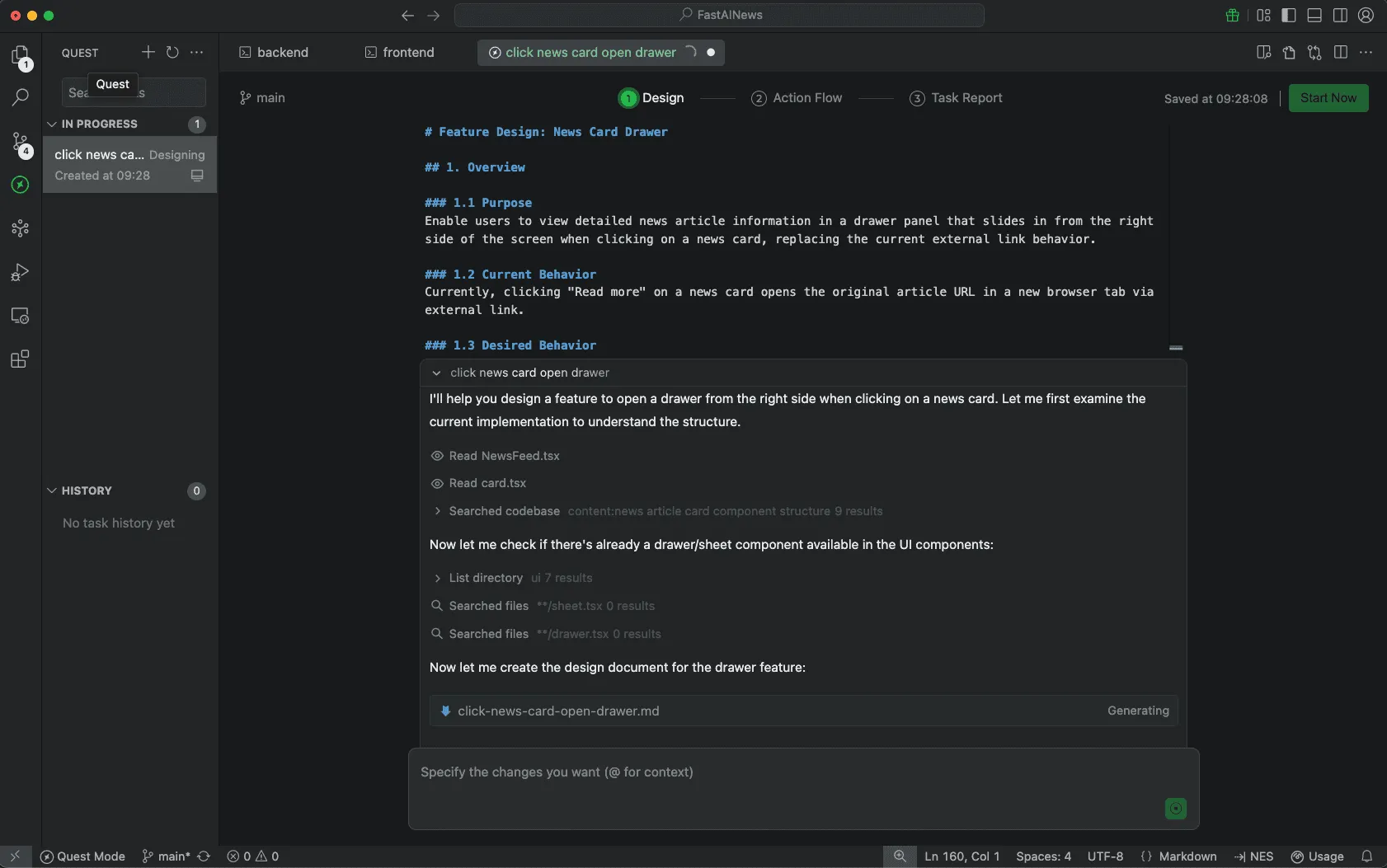
ワークフロー
- New Task をクリックし、説明を入力する
- 複雑な変更には Spec First を選択する
- Local または Remote 実行を選択する
- 生成された Spec を確認し、Start Now をクリックする
仕様の例
# Feature Design: News Card Drawer

## 1. Overview

### 1.1 Purpose
Enable users to view detailed news article information in a
drawer panel that slides in from the right side of the screen
when clicking on a news card, replacing the current external
link behavior.

### 1.2 Current Behavior
Currently, clicking "Read more" on a news card opens the
original article URL in a new browser tab via external link.
Quest モードの仕様駆動開発は、データフローや UX インタラクションを可視化する Mermaid フローダイアグラム を自動生成します。これらのダイアグラムは機能アーキテクチャの明確な視覚表現を提供し、実装前にコンポーネントの関係やユーザージャーニーを理解しやすくします。
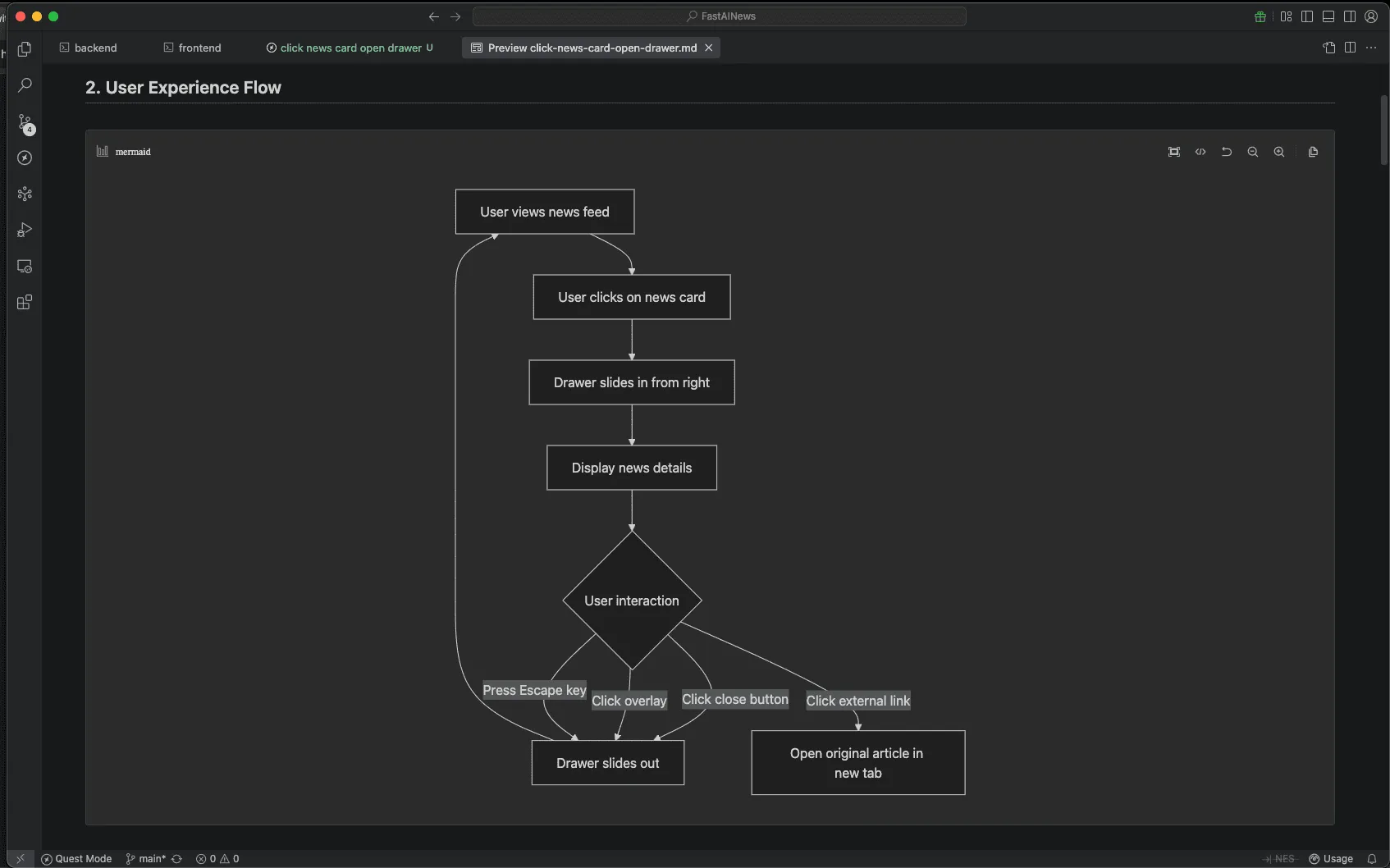 Action Flow は実行の進行状況を表示します。タスクの途中で要件を追加すると、Qoder は動的に調整します。Task Report はレビュー用の差分付きで変更内容を要約します。
Repo Wiki
Repo Wiki は、アーキテクチャ、モジュール、依存関係をカバーする構造化ドキュメントを自動生成します。
.qoder/repowiki/
├── architecture.md
├── modules/
│   ├── auth.md
│   └── payments.md
└── dependencies.md
Wiki の生成には4,000ファイルで約120分かかります。.qoder/repowiki/ ディレクトリをコミットしてチームと共有してください。
Memory と Rules
.qoder/rules/ で永続的なルールを設定します:
rules:
  - name: TypeScript conventions
    description: Use strict TypeScript with explicit return types
  - name: Commit messages
    description: Follow conventional commits format
Always use arrow functions for callbacks
Include JSDoc comments for exported functions
MCP 連携
Model Context Protocol は Qoder を外部ツールに接続します。
Settings > MCP で設定します:{ "mcpServers": { "github": { "command": "npx", "args": ["-y", "@modelcontextprotocol/server-github"], "env": { "GITHUB_PERSONAL_ACCESS_TOKEN": "<TOKEN>" } } } }
Agent モードで使用します:
Search for open issues labeled "bug" and create a summaryキーボードショートカット
- AI チャット:
Cmd+L(macOS)/Ctrl+L(Windows) - インラインチャット:
Cmd+I(macOS)/Ctrl+I(Windows) - 設定:
Cmd+Shift+,(macOS)/Ctrl+Shift+,(Windows) - 変更の適用:
Cmd+Enter(macOS)/Ctrl+Enter(Windows)
実践的なワークフロー
- 新規プロジェクト:Quest モードで要件を記述し、プロジェクトスキャフォールディングを生成する。
- レガシーコード:Repo Wiki の初期化を待ち、アーキテクチャと依存関係を照会する。
- リファクタリング:Quest の仕様でスコープと制約を定義する:
Refactor UserRepository to Repository pattern.
Maintain backward compatibility.
Verify with existing test suite.
ベストプラクティス
詳細な Quest 仕様を書きましょう。明確な要件は出力品質を向上させます。一貫した AI 生成コードのためにルールライブラリを構築しましょう。Agent モードで編集する前に、Ask モードでコードベースを理解しましょう。ステータスバーでクレジットの使用状況を監視しましょう。
Qoder は AI 支援型から AI 委任型の開発への転換を示しており、実装を委任しながらアーキテクチャに集中できるようにします。
無料 Qoder クレジットを獲得
🎉 限定パートナーシップのチャンス!
AI Builders は Qoder と提携し、エージェント型コーディングの未来を体験できる無料クレジットを提供しています!この特別オファーを見逃さないで—今すぐ無料 Qoder クレジットを獲得して、AI 駆動開発で構築を始めましょう!